
Maximizing Efficiency with Xero. From Quotes to Receipts.
Managing business finances can be a complex and time-consuming task for you and our team.
From creating quotes to issuing invoices, tracking payments, and generating receipts, every step requires attention to detail and accuracy.
Xero software offers a comprehensive solution that simplifies these processes, helping businesses save time and reduce errors.
This post explores how we are using Xero to handle your quotes, invoices, credits, and receipts efficiently, making your financial workflow smoother and more reliable.
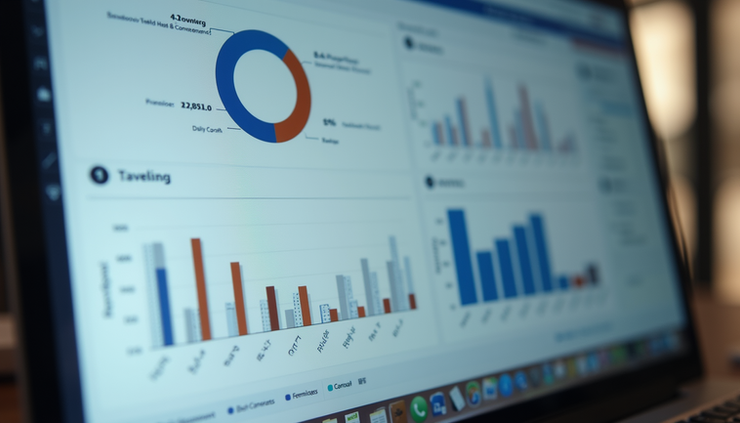
Xero software dashboard showing quotes, invoices, and receipts in one place
Creating and Managing Quotes with Xero
Quotes are often the first step in the sales process. They provide potential customers with a clear outline of the products, services offered and the associated costs.
Xero makes creating and managing quotes straightforward.
Quote, invoices Creation
Xero allows us to generate professional quotes and invoices.
Quote, invoices ready from your software to ours by email
You can send us your own quote, invoice to our system. We can receive it and update our system strait away by forward in your system emails with quotes and invoices.
Quote, invoices ready from our e-invoice services
You can use our e-invoice account to send automatically your quotes, invoices from your software to ours.
Quote, invoices ready from Xero network
Another option is send quotes and invoices by using Xero network.
Tracking Quote Status
Once sent, we can track whether a quote has been viewed, accepted, or declined. This visibility helps us follow up promptly and close deals faster.
Converting Quotes to Invoices
When a customer accepts a quote, Xero lets you convert it directly into an invoice with a single click. This eliminates the need to re-enter data, reducing errors and saving time.
Streamlining Invoice Creation and Payment Tracking
Invoices are critical for getting paid on time. Xero’s invoicing features help you create clear, accurate invoices and monitor payments efficiently.
Customizable Invoice Templates
Tailor your invoices with your logo, payment terms, and personalized messages. This helps reinforce your brand and communicate clearly with clients.
Automated Invoice Reminders
Xero can send automatic reminders to clients when payments are due or overdue. This reduces the need for manual follow-ups and improves cash flow.
Multiple Payment Options
Integrate payment gateways directly with your invoices. We can pay online, making the process faster and more convenient.
Real-Time Payment Tracking
Xero updates invoice status as payments come in, giving you an up-to-date view of your accounts receivable.
Checking and Applying Credits Efficiently
Sometimes customers return products or receive discounts, resulting in credits on their accounts. Managing these credits accurately is essential to maintain trust and clear records.
Issuing Credit Notes
Xero lets you create credit notes linked to specific invoices. This ensures your records reflect the adjustments clearly.
Applying Credits to Invoices
When a customer has a credit, you can apply it to outstanding invoices directly in Xero. This reduces manual calculations and errors.
Tracking Credit Balances
Keep an eye on credit balances to avoid over-crediting or confusion. Xero provides reports that show outstanding credits and their usage.
Turning Invoices into Receipts
Receipts serve as proof of payment and are important for both customers and businesses. Xero helps you generate receipts quickly once payments are recorded.
Automatic Receipt Generation
When a payment is entered or received online, Xero can create a receipt automatically. This saves time and ensures consistency.
Customizable Receipt Templates
Like invoices and quotes, receipts can be customized with your branding and payment details.
Easy Sharing with Customers
Send receipts via email directly from Xero. Customers receive confirmation instantly, reducing inquiries about payment status.
Record Keeping and Reporting
Receipts are stored within Xero, making it easy to retrieve them for audits or financial reviews.
Tips for Getting the Most from Xero
To maximize the benefits of Xero, consider these practical tips:
Integrate with Other Tools
Connect Xero with our CRM, inventory, or project management software to create a seamless workflow.
Our team can use Mobile Apps
Xero’s mobile app lets us create quotes, send invoices, and check payments on the go.
Regularly Reconcile Accounts
Keep your bank accounts reconciled in Xero to ensure your financial data stays accurate.
Train our Team
Make sure everyone involved in billing and finance understands how to use Xero effectively.
Leverage Reporting Features
Use Xero’s reports to monitor sales, outstanding invoices, and cash flow trends.
Common Challenges and How Xero Helps Solve Them
Many businesses face issues like delayed payments, lost invoices, or manual errors. Xero addresses these challenges by:
Providing a centralized platform for all financial documents
Automating routine tasks such as reminders and receipt generation
Offering clear visibility into customer payment status
Reducing manual data entry through quote-to-invoice conversion
By using Xero, businesses can reduce administrative overhead and focus more on growth and customer service.


Comments